Run Your Own Woodpecker CI on Scrap Hardware: A Practical Guide
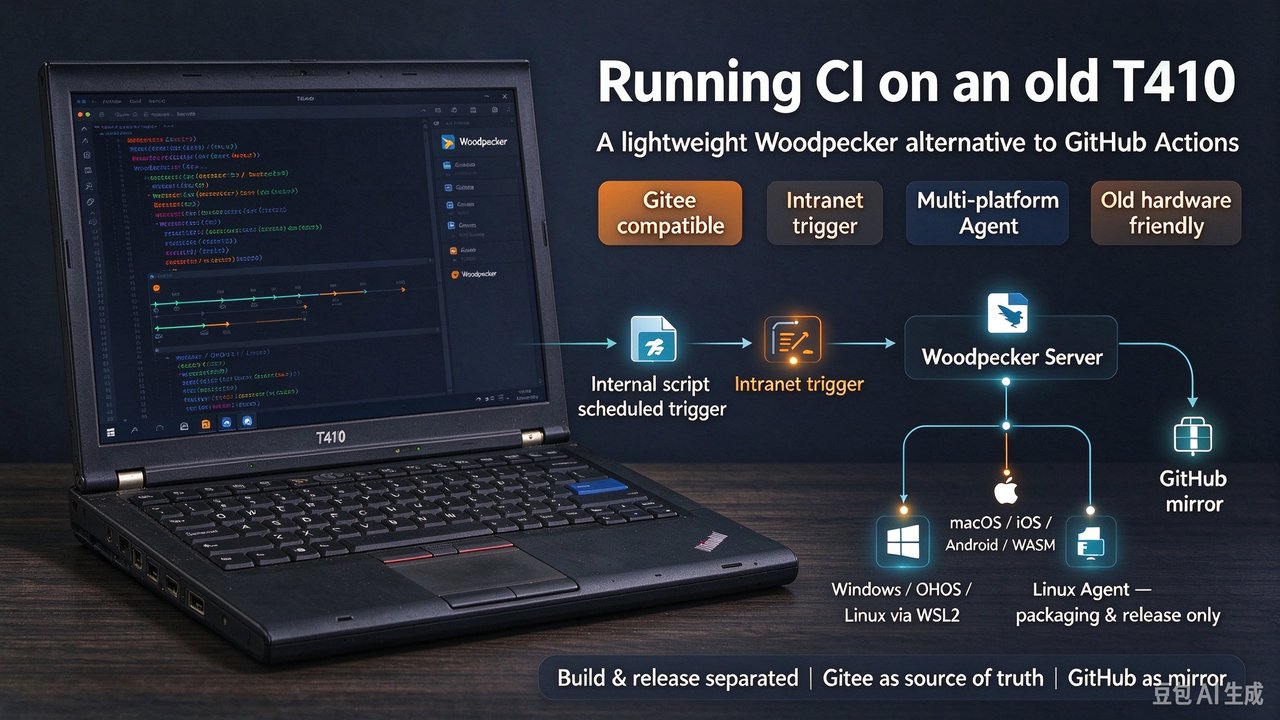
Private-repo CI gets expensive the moment commits become frequent: GitHub Actions throttles both compute minutes and storage, and from many networks reaching GitHub is unreliable enough to time out self-hosted runners. This guide shows how a retired ThinkPad T410 (4-core CPU, 8GB RAM) runs Woodpecker as a zero-cost, network-stable private CI — with the full architecture, an internal-network trigger, a Gitee SCM patch, and before/after benchmarks.
Why Woodpecker, not Jenkins
GitHub Actions is generous for open source but metered for private repos, and self-hosted runners still depend on a stable path to GitHub. Jenkins is powerful but memory-heavy — it barely boots on this laptop. Woodpecker’s server is a single Go binary that typically stays under 100MB of RAM, fitting the hardware comfortably.
| Option | Pros | Cons | Best for |
|---|---|---|---|
| GitHub Actions cloud runners | maintenance-free | metered private repos, unstable local network | overseas / OSS |
| GitHub self-hosted runners | free, controllable | needs a tunnel to GitHub | teams with stable overseas servers |
| Jenkins | feature-rich, huge ecosystem | high memory, Java overhead | large teams with ops |
| Woodpecker self-hosted | tiny footprint, low deps | lean community edition, Gitee needs a patch | old hardware / small teams |
Architecture: split build from release
Four roles, all on the internal network:
- Woodpecker Server (T410): pulls Gitee code, schedules jobs, tracks state.
- Build agents (Windows / macOS): compile. Windows covers Windows/OHOS/Linux via WSL2; macOS covers macOS/iOS/Android/WASM.
- Linux agent: only packages and publishes artifacts, no compiling.
- Gitee as source of truth, GitHub as mirror.
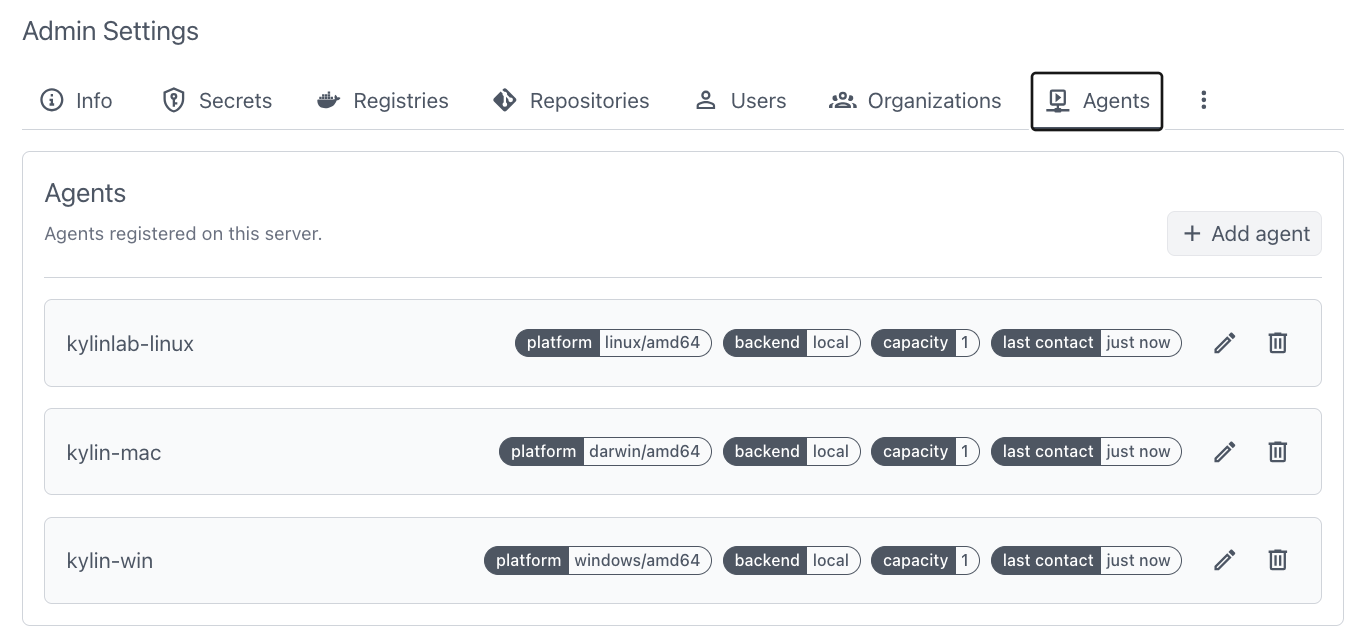
Design principles: internal-network deployment, build/release separation, all secrets via Woodpecker Secrets, Gitee as the source with GitHub as a mirror.
Triggering without public webhooks
Because everything is on the internal network with no public exposure, Gitee webhooks cannot reach us. Triggering therefore does not rely on inbound webhooks: an internal script polls Gitee for new commits and, on a match, calls the Woodpecker API to start the pipeline. Woodpecker pulls from Gitee; build agents run and hand artifacts back to the Linux agent for packaging and publishing.
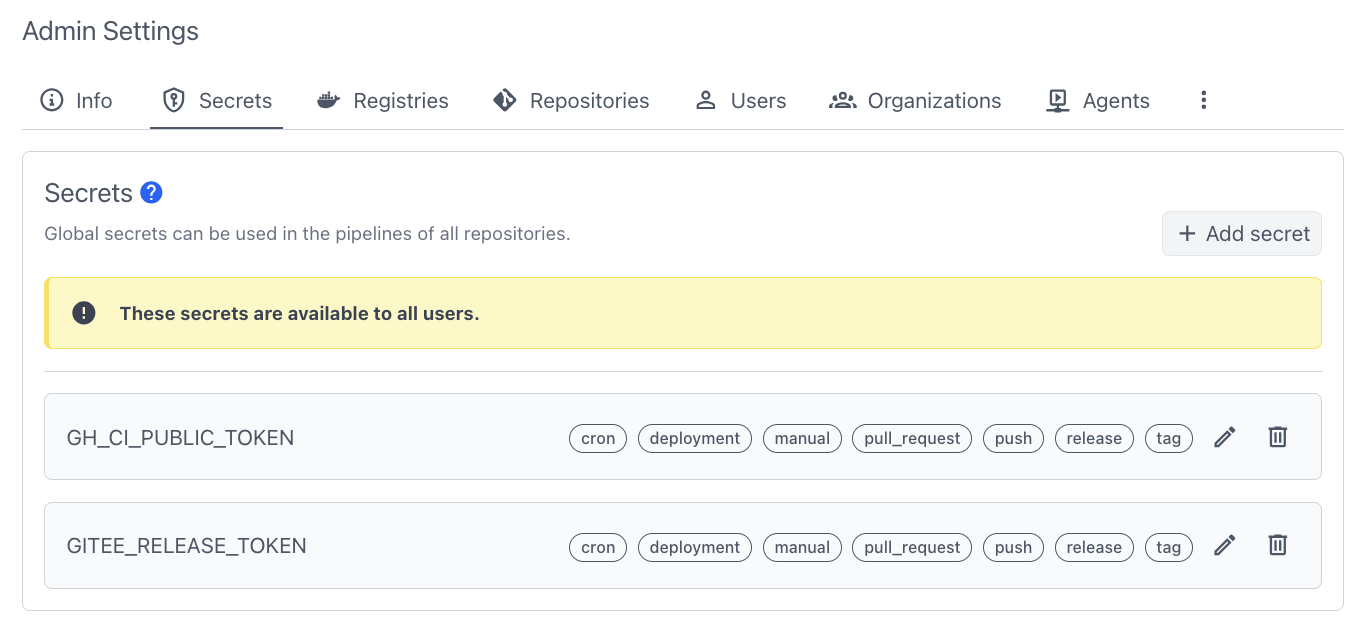
Secrets are managed in Woodpecker’s UI and injected at runtime, with per-branch/tag scoping so a PR cannot leak a token:
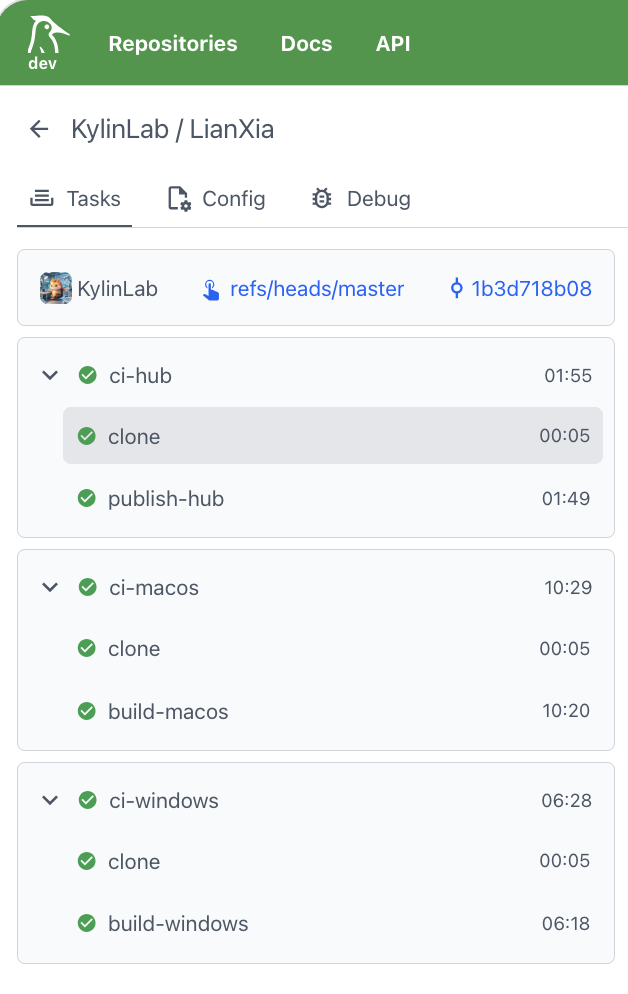
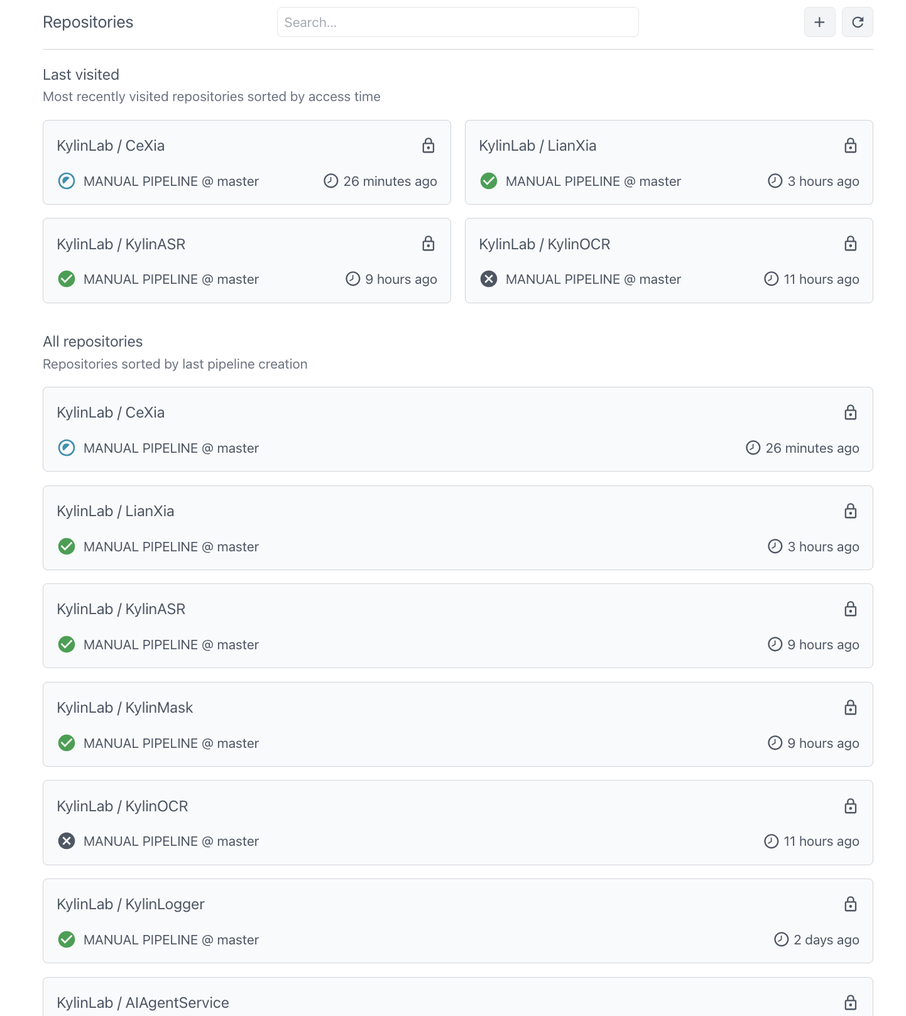
Jobs use matrix builds and cache acceleration; the build stage runs in parallel on Windows/macOS agents, then the Linux agent aggregates for packaging:
Adding Gitee support (the patch)
Woodpecker’s community edition natively supports GitHub, GitLab, and Bitbucket — not Gitee. The patch adds Gitee as an SCM: registers the OAuth2 callback and webhook parsing, adapts Gitee’s Push/Pull Request event formats, and fixes branch/tag handling during mirror sync. It is open-sourced at KylinLabAI/woodpecker.
Rollout in five steps: pull the image or build from source → configure Gitee OAuth2 (Client ID / Secret) → authorize the Gitee repo in Woodpecker → write the internal trigger script → fill in the Secrets.
Results: the win is determinism
| Metric | GitHub Actions | Woodpecker self-hosted |
|---|---|---|
| Monthly CI cost | metered on private repos | $0 |
| Network | frequent local timeouts | internal pull <50ms |
| Single build | ~8 min avg (with queue) | 3–4 min build + 1 min release |
| Storage anxiety | constant cleanup | local, on-demand |
The biggest gain was not the money — it was determinism: CI stopped failing because GitHub blinked or a quota ran out.
Mistakes, tradeoffs, alternatives
- Concurrency: past two parallel jobs the T410’s CPU chokes — spread agents or cap concurrency at 1–2; add a small VPS if load grows.
- Poll interval: 30–60s is the sweet spot (too short stresses Gitee, too long adds latency); the poller must be highly available.
- Artifact hand-off: with build/release split, artifacts must travel between the build agent and the Linux agent (shared storage or an artifact pass), or the publish node finds nothing.
Conclusion & further reading
- Old hardware + Woodpecker is a viable private CI, far lighter than Jenkins.
- A Gitee patch + internal poller + multi-platform agents lets domestic developers connect without a VPN.
- The core value of self-hosted CI is determinism.
Full patch and sample configs live in KylinLabAI/woodpecker. Hit a gotcha I missed while self-hosting CI on old hardware? Drop it in the comments — I reply to every one.